
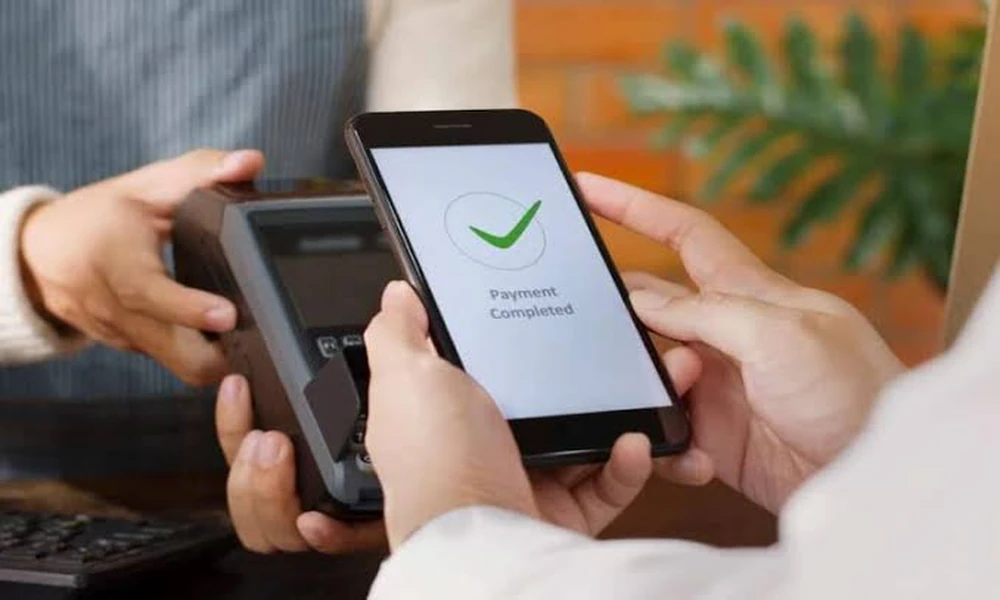
A wallet can make routine digital payments more convenient by giving users a simple way to manage everyday transactions from a mobile device. Depending on the service, it may support merchant payments, recharges, selected bill payments, transaction records and other digital payment functions.
The convenience is useful, but a wallet works best when it is used with clear payment habits. Users still need to verify recipients, review transaction status and protect account credentials.
Instead of looking only at features, it is helpful to consider the everyday situations in which a digital wallet may actually make payments easier.
When You Need To Make A Quick Small Payment
Many daily transactions involve relatively small amounts.
Examples can include:
- Paying at a neighbourhood shop
- Buying food or beverages
- Paying for local services
- Making selected online purchases
- Completing supported recharges
In these situations, a wallet can reduce the need to handle cash or repeatedly enter payment information.
However, speed should not remove basic checks.
Before completing a transaction, confirm the merchant name and amount displayed on the screen.
A payment completed in seconds can still be difficult to reverse if the wrong recipient is selected.
When You Want To Keep Small Expenses Visible
Small purchases often feel insignificant because each transaction is limited.
Over a month, however, they can become a noticeable part of the budget.
A wallet transaction history can help users see where these smaller amounts are going.
Someone may discover that frequent food orders, subscriptions or convenience purchases are adding more to monthly spending than expected.
This makes transaction history useful for budgeting as well as payment confirmation.
A weekly review can be enough to identify patterns without checking every payment repeatedly.
When Cash Is Not Convenient
There are situations where carrying exact cash is inconvenient.
A digital wallet can help when the merchant supports the selected payment method.
The user can complete the transaction through the app and receive a digital record.
This record may be easier to track than small cash expenses.
However, users should still keep alternative payment options available.
Mobile battery issues, internet interruptions or temporary service problems can make digital payments unavailable at times.
A wallet should add convenience rather than become the only possible way to make an essential payment.
When You Are Paying A Merchant For The First Time
Payments to unfamiliar merchants deserve more attention.
Before confirming, review the merchant information shown in the app.
If the transaction involves a QR code, check that the name displayed after scanning matches the intended business.
A practical three-check routine can help:
- Confirm the merchant
- Confirm the amount
- Confirm the payment status
These few seconds can reduce errors, particularly in busy stores where several payment codes may be visible.
When You Want To Use More Than One Payment Method
A wallet is one part of the broader digital payment environment.
Users may also rely on cards, net banking or an upi payment for different transactions, depending on merchant acceptance and personal preference.
These methods should not necessarily be treated as competitors.
Each can be useful in different situations.
For example, one option may be convenient for a small merchant transaction, while another may be preferred for a larger online purchase.
The more important consideration is whether the method is secure, traceable and suitable for the transaction being completed.
When A Payment Does Not Complete Immediately
Digital transactions do not always receive an instant final status.
A wallet payment may sometimes show as pending.
When that happens, avoid making the same payment again immediately.
First check:
- Whether the account or wallet balance was debited
- Whether the merchant received confirmation
- Whether the app shows a pending, successful or failed status
- Whether a transaction reference is available
If the payment eventually succeeds, making another attempt too quickly can result in a duplicate payment.
Transaction status should therefore be checked before repeating the process.
When A Payment Fails
A failed payment should be handled differently from a completed transaction.
If the amount was not deducted, the user may be able to try again.
If the amount was deducted, check whether the transaction is being reversed before initiating another payment.
The exact process can depend on the payment service and transaction type.
Keeping the reference number or screenshot of the relevant transaction details can make follow-up easier if support is required.
When You Receive A Payment Request
Not every incoming payment notification means that money has been credited.
Some digital payment services may display collect requests asking the user to approve a debit.
Unexpected requests should be reviewed carefully.
Do not approve a request simply because the message looks urgent.
Ask:
Who sent it?
Why are they requesting money?
Does the amount match an expected payment?
If the request is unfamiliar, decline or ignore it and verify independently.
When You Receive An Attractive Offer
Wallets and payment platforms may occasionally display discounts, cashback offers or merchant promotions.
These can be useful, but they should not become the main reason for spending.
A ₹100 discount does not create value if it encourages a ₹1,000 purchase that was not needed.
A practical approach is to decide on the purchase first and evaluate the offer second.
Offers should reduce the cost of planned spending rather than create unplanned spending.
When You Want Better Spending Control
Some people find it useful to separate everyday spending from longer-term savings.
A wallet can support this behaviour when used mainly for routine purchases.
For example, a user may decide on a weekly discretionary spending amount and monitor wallet transactions against that figure.
This does not require a complicated budgeting system.
The goal is simply to make small spending more visible.
If the transaction history shows that the budget is being reached too quickly, spending can be adjusted before the end of the month.
When You Use A Wallet For Recharges
A wallet may support certain mobile, DTH or other recharge functions depending on the platform.
Before completing a recharge, verify the account or mobile number carefully.
If several numbers are saved, make sure the correct one is selected.
Also review the plan details rather than choosing only by price.
A low-cost recharge may not provide the required validity or data allowance.
The convenience of saved details should not replace verification.
When You Make Payments On A Shared Device
Financial apps should ideally be used only on devices that the user controls.
If a wallet is accessed on a shared or borrowed device, the risk of exposing financial information increases.
Avoid saving login credentials on unfamiliar devices.
Log out properly after use where applicable.
Device-level protection such as a screen lock or biometric security can also help reduce unauthorised access.
The wallet is only as secure as the device on which it is being used.
When Someone Asks For Your Credentials
No payment should require you to disclose sensitive credentials to an unknown person.
Users should keep the following private:
- Passwords
- OTPs
- PINs
- Authentication codes
- Full account login details
Someone claiming to be from customer support should not be trusted solely because they know basic account information.
Use the official app, website or verified support channel when help is needed.
When You Receive A Suspicious Link
Messages claiming that a wallet account will be blocked or that a reward is waiting may contain fraudulent links.
Urgency is often used to encourage immediate action.
Instead of clicking the message, open the official app directly.
Check whether the same information appears there.
If it does not, treat the message cautiously.
This simple habit can help reduce exposure to phishing attempts.
When You Need To Review Old Payments
A transaction history becomes especially useful when someone asks whether a payment was already made.
Instead of relying on memory, users can search recent records and check the date, amount and recipient.
This is useful for shared expenses, merchant payments and repeated monthly transactions.
Regular review can also help identify unfamiliar transactions.
Any transaction that cannot be recognised should be investigated through the appropriate official channel.
When A Wallet Is No Longer Helping
More payment apps do not always mean more convenience.
If several wallets are being used at the same time, users may find it harder to track transactions.
Old apps may also continue sending notifications or promotional messages.
A periodic review can help simplify digital payments.
Keep the services that are genuinely useful and remove unnecessary complexity where possible.
The best payment setup is usually one that is easy to understand and maintain.
Conclusion
A wallet can make everyday digital payments easier by supporting quick transactions, providing payment records and helping users keep smaller expenses visible.
Its usefulness depends on disciplined usage. Users should verify recipients, check transaction status, protect credentials and avoid responding impulsively to unknown requests or promotional messages.
A wallet works best when it simplifies planned payments rather than encouraging unnecessary transactions. Combined with regular spending reviews and basic security habits, it can become a practical part of day-to-day money management.
Frequently Asked Questions
1. What Is A Wallet Used For?
A wallet can be used for supported digital payments, merchant transactions, recharges and other eligible payment services depending on the platform.
2. Can A Wallet Help Track Daily Spending?
Yes. Transaction history can help users review small purchases and understand where routine spending is going.
3. What Should I Do If A Wallet Payment Is Pending?
Check the transaction status and whether the amount was debited before making another payment.
4. Is It Safe To Share My Wallet PIN With Support Staff?
No. PINs, OTPs, passwords and other authentication credentials should remain private.
5. Should I Use Every Wallet Offer I Receive?
Not necessarily. Offers are most useful when they reduce the cost of a purchase you already planned to make.
