
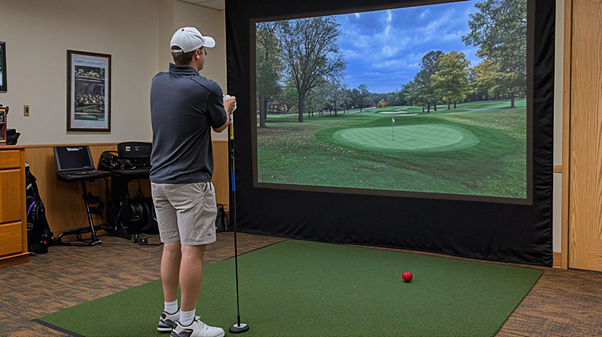
Indoor practice solves real problems for golf in Singapore, where heat, rain, and busy diaries limit course time. A well-set-up golf simulator gives precise feedback on launch, spin, and face control, and it supports repeatable drills in cool, predictable conditions. Use the steps below to turn numbers into skills that travel outdoors.
1. Start With A Baseline Session
Warm up, then hit ten shots with each club you use most. Record carry, total, spin, peak height, and offline dispersion. This baseline becomes your reference when you adjust technique, shafts, or balls for golf in Singapore.
2. Calibrate Yardages For Climate
Simulators allow environment settings. Match temperature and humidity to local conditions so distances reflect golf in Singapore more closely. Save a second profile for cool indoor air to understand the gap between bay numbers and course results.
3. Practise One Shape On Purpose
Pick a stock fade or draw and train it until dispersion tightens. Use start-line gates on the screen and note face-to-path differences. A single reliable shape reduces penalty strokes when the wind picks up on coastal holes, which are common in golf in Singapore.
4. Build a Wedge Ladder
Set targets at ten-yard steps from thirty to one hundred and ten yards. Hit three balls per rung and score proximity, not just carry. This ladder turns a golf simulator into a short-game engine that lowers scores quickly.
5. Gap Irons With Intent
Strong-lofted irons often overlap. Run a gapping test, then adjust the set composition if two clubs sit within five yards. Clear spacing pays off on par threes and into-wind shots typical of golf in Singapore afternoons.
6. Fix Start Line, Then Curvature
Use face angle drills to start the ball on target before you chase the curve. Add path work only after start lines improve. This order makes a golf simulator session efficient and keeps swing thoughts simple on the course.
7. Train Trouble Lies With Constraints
Simulators read strike, so you can simulate rough or punch windows with target height and speed caps. Practise low runners, fairway bunkers, and knockdowns. These patterns rescue pars when wind and rain affect golf in Singapore.
8. Fit The Ball Indoors, Confirm Outside
Test a few models across wedges, irons, and a driver. Choose the ball that holds the green and tightens approach dispersion, then confirm on grass. A consistent ball links golf simulator numbers to on-course control.
9. Use Skills Challenges For Pressure
Play closest-to-pin ladders, fairway hit streaks, and up-and-down games with a point target. A timer or small wager raises focus. Light pressure in a bay helps you handle tight tee shots in golf in Singapore competitions.
10. Map Driver Windows, Not Just Distance
Record launch and spin windows that produce your straightest pattern. Set audible alerts when you stray above or below that band. On windy days, reproduce the window that fights crosswinds common in golf in Singapore.
11. Practise Course Management
Load local layouts or similar yardages. Choose conservative lines and aim points, then review where shots finished relative to safe zones. A golf simulator round with smart targets reduces doubles more than a power-only session.
12. Add Realistic Putting And Green Speed
If your bay has a putting strip, map common break lengths and pace drills. If not, simulate an approach proximity that leaves a two-putt range. Putting prep ensures that simulator gains translate to cards for golf in Singapore.
13. Track Only Three Metrics Per Phase
Pick carry distance, face-to-path, and spin for full swings. For wedges, track carry, launch, and proximity. Limiting metrics keeps decisions clear and prevents data overload in a golf simulator session.
14. Schedule Short, Frequent Sessions
Thirty focused minutes, three times a week, beats a monthly marathon. Rotate themes: wedges, driver windows, and approach dispersion. Regular practice fits the rhythm of work and weather for golf in Singapore.
15. Maintain Gear Between Sessions
Wipe grooves, check lies and lofts quarterly, and regrip when hands slip. Clean sensors and ensure the golf simulator reads shots accurately. Good maintenance protects the link between practice and play.
Conclusion
A simulator becomes more than entertainment when you plan sessions, chase tight dispersion, and respect local playing conditions. By calibrating to climate, training one stock shape, and drilling wedges with purpose, you carry reliable numbers to the course. With steady, simple routines, golf in Singapore feels more predictable and scores trend lower.
For tailored simulator programmes and practical gear checks, contact Club Face to build a training plan that improves your golf in Singapore round after round.
